
progeCAD Professional 2026
Powerful and affordable 2D and 3D CAD for sketches, electrical diagrams, building designs, plumbing drawings, maps, telecommunications documentation, mechanical designs, architectural drawings, topography, GIS and much more.
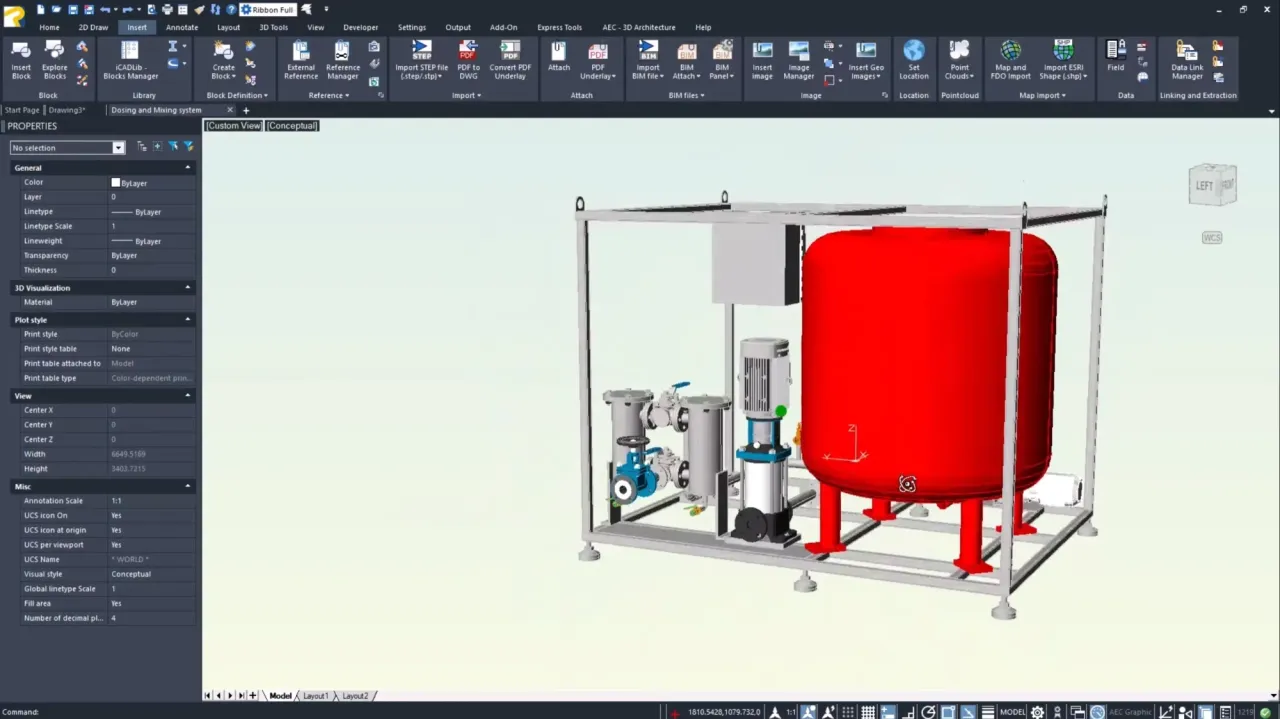
This is progeCAD:
- progeCAD is a general purpose CAD program. Anything you can draw, you can draw with progeCAD!
- The rental license means that you have full access to progeCAD. After 12 months, you choose whether you want to continue or end the rental.
- You already know the program if you are used to AutoCAD. Appearance and functions are very similar.
- progeCAD, like AutoCAD, uses DWG as the drawing format. This ensures full compatibility.
- progeCAD comes with 22,000 symbols/blocks in various industries. You can also build your own symbol libraries.
- Create photorealistic surfaces on your 3D objects with the Artisan rendering engine included in progeCAD.
- Lots of 3D features are included in progeCAD. You can give your 3D designs different materials, colors, patterns and properties. You can illuminate them and get shadows and reflections.
- The 2D/3D application EasyArch for simple architectural drawings is included in progeCAD.
- There are add-on products for architectural, electrical, plumbing, mechanical that further simplify your drawing.
- progeCAD converts both PDF drawings and scanned paper drawings to DWG. progeCAD can also create PDF drawings.
- progeCAD imports and exports STEP, IGES, PDF, 3D PDF, DWG, 3DS, DAE, LWO, POV, Maya, OBJ, BMP, JPG, WMF, EMF, SVG, and more.
- progeCAD has unbeatable low prices and flexible licensing options.
A permanent single license can be activated on 2 computers for the same user. A rental license can be activated on 1 computer.